walkthrough autogroup

v1.4 Release Notes

We’re very excited to announce the release of Optyx v1.4 and new usability improvements to help users like you!

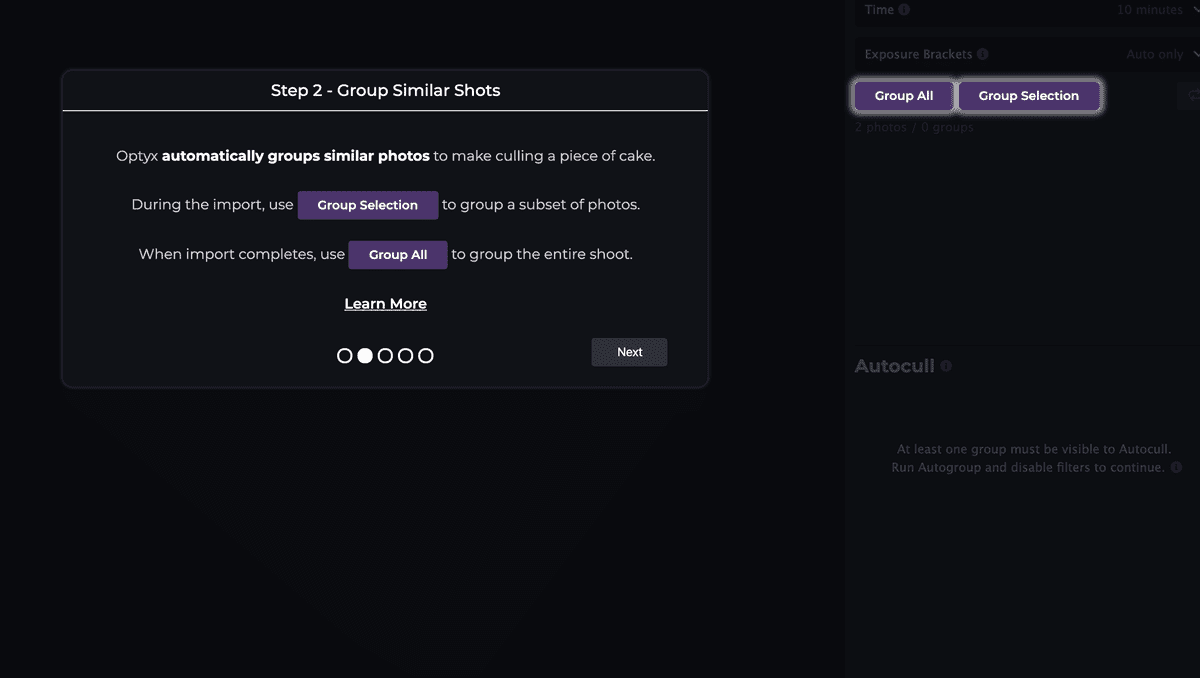
Guided Walkthrough

Optyx will now automatically walk new users through workflows and what makes Optyx so special. For veteran users, the new walkthrough can be accessed at any time through the Help > Start Walkthrough menu option.

onboarding
First shoot is created automatically.
walkthrough autogroup

Walkthrough wizard demonstrating autogroup functionality.

Improved Sharpness Labels

Optyx v1.3 brought you our beta of face focus detection, and we’ve continued to iterate on your feedback! Sharpness labels now have an updated AI model that will continue to improve over the next several releases.

face focus highlight example 1
Example of two out-of-focus faces being highlighted in the Optyx App.

Let us know what you think and happy culling!

PS – Have more ideas on what would take your Optyx experience to the next level? Drop us a line at feedback@optyx.app or checkout our public roadmap.

Similar Posts

  • v2 Release Notes

    We’re very excited to announce the release of Optyx v2.0 and major improvements for the next generation of AI photo culling. Unlimited Photos for Free Tier The Optyx Free tier is no longer subject to a 100 photo limit. Free users can use Optyx to manually cull their photos with Lightning-fast previews on as many photos as…

  • Public Roadmap

    We’re very excited to announce that our feature roadmap is now public and you can vote on what we should implement next! Vote on your favorite features to bump up their priority or submit your own unique idea for what you want to see. You can also email feedback@optyx.app with ideas or concerns you’d prefer to keep between us. Let us…

  • v1.5 Release Notes

    We’re very excited to announce the release of Optyx v1.5 and new accuracy improvements to help users like you! Improved Sharpness Labels Optyx v1.3 brought you our beta of face focus detection, and we’ve continued to iterate on your feedback! Sharpness labels are now considerably more accurate. Thanks to your help we’ve seen accuracy rates climb from…

  • v1.6 Release Notes

    We’re very excited to announce the release of Optyx v1.6 and support for an even wider range of devices! M1 Support Apple released their latest lineup of Macbooks at the end of 2020 with custom Apple-built processors known as the M1 chip. Older versions of Optyx used advanced instructions that these processors didn’t support, but the engineering…

  • Lightroom Plugin (alpha)

    We’re very excited to announce that we’ve unveiled the alpha version of our Lightroom plugin! Optyx Pro users can get started using the Optyx Connector for Lightroom immediately using the official download link on your Optyx Pro receipt. Features Optyx was designed from the ground up to work in tandem with Lightroom even without a plugin. A…